Tag: smart home

  • Smart-Device Review: Make Your Home a Smart Home Today

    Smart-Device Review: Make Your Home a Smart Home Today

    In the past few decades, electronic devices in our homes have transformed from ordinary objects into what was only thought possible in science fiction movies. Televisions, refrigerators, security cameras, speakers, among others, have been fitted with sensors that allow them to see, touch, and hear their surroundings, as they can transform physical data into digital data. When brought together, these devices make up smart homes or in most cases, “internet of things”.

    Just about every device with network connectivity is initiated to the internet of things. In smart homes, these gadgets relieve us from chores, allowing us to have a breather, while adding magic to ordinary experiences. If you are yet to delve into this world, you might be lost on where to start. Lucky for you, we have just the right devices that will set your home on the path to being a smart home.

    We have a list of the most common devices that cut across all smart homes. These include smart speakers that you can converse with, smart security devices that will amp the security in your home and smart controls that allow you to orchestrate things in your home regardless of your physical presence. Are you hooked? Buckle up as we start off with smart speakers.

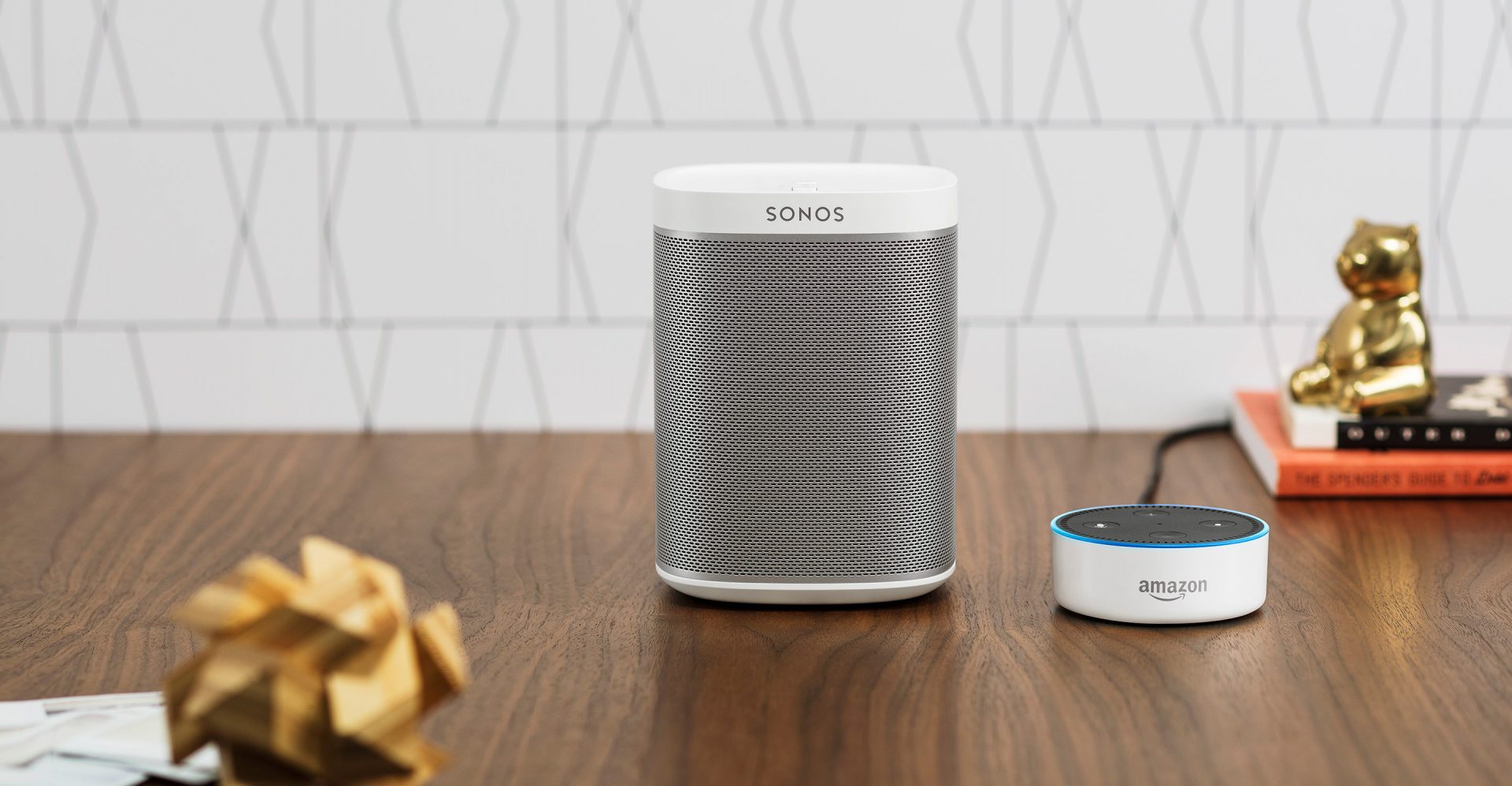
    Amazon Echo vs Sonos One

    Amazon Echo

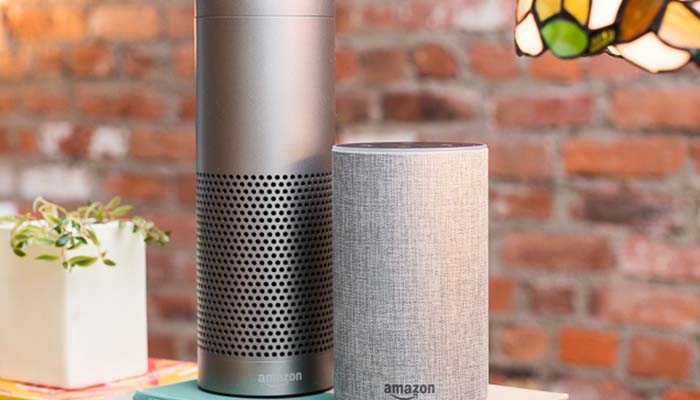
    Amazon’s Echo smart speaker first came into the market in 2015 and has maintained the lead in the smart devices market. The Amazon Echo is a series of smart speakers and mobile accessories that are internet-connected and are paired with Alexa, Amazon’s digital assistant. It wears different hats including serving as an IoT hub, internet search engine, a music player, and pretty much anything that Alexa Skill allows it to do. Let’s take a look at Amazon’s 2020 Echo.

    Being a smart speaker, its primary purpose is offering sound and compared to former Echo products in the past, the Amazon 2020 Echo has improved sound quality. For starters, this smart speaker has adaptive sound, enabling it to adjust to a room’s acoustics. Also, it’s 3-inch woofer and dual 0.8-inch tweeters, lower-range mids and bass are stronger and richer. Additionally, it boasts of power, that is, more volume.

    In addition to offering sound, the Amazon Echo is an integral smart home hardware. This particular speaker has two ways that smart home devices can connect to it. One, the Zigbee receiver allows the Echo to connect with other smart home devices, without an additional hub. With this receiver, Echo users are able to hook a wide range of gadgets in their house without having to worry about a smart home hub. Two, the Amazon Sidewalk aims at creating a shared network that will benefit any Sidewalk-enabled devices that are in a community.

    Pros

    • Has improved sound quality and more bass
    • Improved smart home connectivity
    • Hassle-free stereo pairing

    Cons

    • Has a bulky design

    Sonos One

    When it hit the market, the Sonos One brought a revolution. It was among the first smart speakers that didn’t have users choosing between excellent sound quality and smarts because it had both. It also didn’t have users choosing between Google Assistant and Alexa.

    The top of the smart speaker has a touch-sensitive surface. Swiping right or left will skip forward or backwards in your playlist. Tapping in the surface’s center pauses and plays your music. Finally, when you tap the right and left halves of the panel, you raise or lower the volume. However, you’ll probably spend most of your time controlling the Sonos using the app. The device also boasts of voice control where the speaker has six internal microphones that enable it to hear your instructions, and a pair of Class-D amplifiers as well as a tweeter / mid-woofer driver combination.

    Setting up the Sonos involves installing both the Sonos and Alexa apps, signing into both your Sonos and Amazon accounts, and any music streaming services that you might want to listen to using the speaker. The speaker encourages you to perform a ‘Trueplay Tuning’ process, where you move around the room with your phone while your speaker plays some test sounds. Your phone then establishes how your speaker sounds while in the environment, and tunes its sound.

    Pros

    • Is the best Alexa and Google Assistant speaker
    • Has a great app and supports many streaming services

    Cons

    • Does not use Bluetooth

    Final Verdict

    The Sonos One is better overall because it is a compact smart speaker with a great app, support for multiple streaming services and digital assistants. However, in bigger rooms, the Amazon Echo Studio produces a huge sound. It also boasts of more features than the Sonos One, including its sensitive microphones that allow Alexa to hear you over loud music.

    When it comes to features, Echo Studio boasts of more features including being able to connect to a TV while also being able to replay Dolby Atmos streams. The Sonos One advantage over the Echo is that you can use either Amazon Alexa or Google Assistant to control it.

    Smart Home Security Systems: SimpliSafe vs Cove

    With the evolution of smart homes, home security had to be featured. The thing is, home security cannot be confined to one gadget but instead comes as a package. These include security systems that can be paired with Google Assistant or Alexa and that you can install on your own or have it down professionally. First off is Simplisafe.

    Simplisafe

    Simplisafe is the most popular choice of home security systems that are no-contract, easy to set up and quite affordable. In an hour’s time, you’ll be able to set up environmental and security protection. Additionally, you can have it professionally monitored for $14.99 a month. However, DIY monitoring is also available through the Simplisafe mobile app.

    The SimpliSafe starter set includes a base station, a wireless keypad, a keyring remote, one motion and two entry sensors. All these are at a starter set cost of $244. The deal also includes a SimpliCam, a high def video security camera that has a motion sensor and sends alerts.

    SimpliSafe’s equipment is inexpensive but very high quality. For example, they have SmashSafe, a backup against tampering. If someone attempts to disable their system, their monitoring services alerts the police. They also boast of a Heartbeat feature, which checks continuously that the security system is working.

    Setting up the system is quite easy. In fact, most customers do it on their own with only about three percent asking for assistance. All equipment is either freestanding or can be attached to surfaces using removable adhesive.

    Pros

    • There are no long-term contracts to sign
    • Easy to install
    • Affordable monitoring plans
    • Professional monitoring

    Cons

    • Costly up-front equipment costs
    • Too simple for some homes

    Cove

    If you’re looking for a quick yet easy setup, then Cove is the system for you. You save money by installing the system on your own. The system is already pre-programmed even before it is shipped. All you have to do is to stick the sensors to your walls using their 3M-backed adhesives.

    All of Cove’s systems call for 24/7 professional monitoring, but you can either sign up for a month if you paid for the equipment upfront, or sign up for three years if you don’t want to pay for the equipment upfront.

    During emergencies, Cove’s team texts you, which comes in handy if you should ever find yourself in a hostage situation. This explains why Cove’s response rate is 10x faster than competitors.

    Pros

    • Can be integrated with Google Assistant and Alexa
    • You can choose to pay nothing upfront
    • Has battery backup

    Cons

    • Professional monitoring a must
    • Expensive remote control

    Final Verdict

    The Simplisafe Security System is better overall because it has an option for no contract making it easy and affordable to install in your home. Additionally, their equipment is inexpensive because they make it on their own and there are no middlemen involved. However, being able to integrate digital assistants gives Cove an advantage over SimpliSafe. However, both are quite inexpensive and easy to install.

    Smart Home Controls: Amazon Echo (4th gen) vs Samsung SmartThings Hub v3

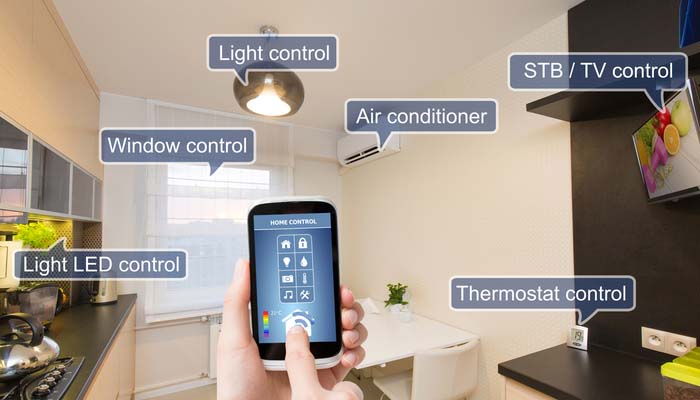
    If the smart home devices in your home are to ‘talk’ to each other, you’ll need a smart home control or smart home hub. This is the gadget that brings together all your devices and allows you to control them using one app. With that said, let’s take a look at two of the best smart home controls currently.

    Amazon Echo (4th gen)

    In site of this gadget having featured in the smart speakers spot, it also makes for a great smart home control. The combination of Bluetooth, Wi-Fi, and Zigbee make the Echo the best smart home control for most people. Furthermore, it has multiple radios, which help connect with a large number of low-power smart home devices. With Alexa’s routines, you’ll be able to use a number of triggers to activate other smart home devices.

    The hub also collaborates with Alexa Guard, which listens to smoke alarms and glass breaking, and can notify you in case of an emergency. Finally, it supports Amazon Sidewalk, which works with such things as Tile trackers and smart lights especially over greater distances.

    Pros

    • Awesome smart home skills
    • Impeccable spherical design
    • Good audio

    Cons

    • No battery backup

    Samsung SmartThings Hub v3

    This smart home hub is a darling among critics because it supports both Zigbee and Z-Wave. This allows you to link to hundreds of devices, which is considerably more than most hubs. Additionally, the SmartThings app is full of functionality, which allows you to come up with a diverse range of different scenarios for all gadgets in your home.

    This SmartHub also boasts of in-built Wi-Fi, meaning you don’t have to plug the device into your router. This gives you the freedom to place the smart home control in a location that is most convenient to you connecting it with other smart home devices.

    The downside is that it doesn’t have battery backup. Then again, if the lights go out, chances are you won’t be needing to turn your lights on.

    Pros

    • Supports Wi-Fi which makes installing easy
    • Supports automation more than any other hubs
    • Works with Z-Wave and Zigbee devices

    Cons

    • Doesn’t work with Nest products at the moment

    Final Verdict

    The Amazon Echo is the favorite for most people because of it’s ability to connect with many low-power smart home devices, thanks to its many radios. However, SmartThings ability to work with Z-Wave and Zigbee devices gives it somewhat of an advantage too. The Amazon Echo also boasts of better audio quality, especially at its price. The voice assistant, Alexa, is also pretty advanced which makes the smart hub, a darling to many.

    Conclusion

    The Internet of Things or smart homes are not in the future, they are here, and here to stay. In 2018, there were about 23 billion devices that were connected. Forecasters believe that the number will climb to more than 75 billion in 2025. This is mostly because people are becoming more comfortable with having these devices sit in their living room. Also, tech companies are dreaming up of new devices each day that work towards making life more comfortable.

    The future is evident in the evolution that is smart offices, smart buildings and even smart cities. Companies like Google are working towards autonomous vehicles that will connect to the internet and drive themselves to the destination of your choice. The bottomline is, smart devices are here to stay.

    The above smart devices are a good place to start when looking to transform your home into a smart home. Smart speakers and smart controls will be the heartbeat of every smart phone and purchasing one now is giving yourself a head start. Smart security systems also offer a cheap yet reliable way to ensure homes are safe. The fact that you can check up on your home remotely also makes them an attractive option. However, do your research before making a purchase depending on your needs.
  • Google Home vs Amazon Echo: Which Smart Home Hub is the Best?

    Google Home vs Amazon Echo: Which Smart Home Hub is the Best?

    If you’re considering jumping into the world of smart home devices, then your first big decision is which hub you want to go with. While Apple offers a hub through their HomePod, the Siri-powered device is much more expensive and limited in features than Amazon and Google’s offerings, respectively. Between the two smart home juggernauts, which is the best for outfitting your home?

    Google Home vs Amazon Echo

    Smart Hub Overview

    A smart hub is a device that coordinates all of your smart home devices. Typically, these hubs are also “smart speakers.” This means that they’re capable of music playback, and both Google and Amazon’s smart speakers contain virtual assistants that help you use your smart home features. For example, if you want to listen to a song, you can use voice commands to ask the virtual assistant to play it for you.

    The other major use of a smart home hub is calling on the virtual assistant to perform smart home tasks. This could include turning on smart lights, preheating smart ovens or tuning smart thermostats. All of these functions are controlled by voice commands, making them very satisfying for tech fans and very helpful for busy professionals. If you need to know what the traffic report is, you can ask your virtual assistant. If you want to lock your front door with a smart lock, tell your virtual assistant.

    Google Home

    Google Home is a bit newer to the market than Amazon’s Echo devices, but it quickly made up for lost time. Distinct from Amazon’s device in a few ways, the Google Home Mini is a great intro smart speaker for people looking to get into the smart home world. Google Assistant, the virtual assistant that powers the device, has a warm and conversational voice, and sounds only slightly robotic. It’s capable of controlling a wide variety of smart devices from many different manufacturers.

    Notably, Google’s Pixel phones can be used as Google Home devices when paired with smart home technology you have. As such, if you have a Google Pixel, you essentially already have a Google Home device. The Google Assistant that is on Pixel phones is the same software that is housed in Google Home speakers. If you’re already in Google’s ecosystem with devices like Google Wi-Fi, Google Pixel or the like, then Google Home is a great choice for you.

    Amazon Echo

    The originator of the current smart speaker market, Amazon’s Echo devices hold the largest market share. They’re the most “generic” of the smart speakers you’ll find in stores and offer a wide variety of compatible smart home devices. Alexa, the virtual assistant that powers the Echo, is a very flexible and easy-to-use software. It responds quickly and accurately to a number of commands and can usually decipher even thick accents.

    The Echo Dot is priced similarly to the Google Home Mini, and the two are of comparable usefulness in everyday scenarios. In fact, the two devices are so similar that it’s hard to recommend one over the other. The main differences between the two is the performance of the virtual assistant. Google’s is a bit more robotic and colder, while Alexa is a bit livelier.

    Bottom Line

    Both Google Home and Amazon Echo are fine platforms for smart home hubs. If you like the idea of using a Google-based ecosystem for your home, of course, the Google Home is ideal for you. However, if you would rather have a more general and widely-applicable virtual assistant, the Amazon Echo is a bit more flexible. Both are excellent devices in the same price range, however, so it really comes down to personal preference.


  • Best Smart Home Devices for 2019

    Best Smart Home Devices for 2019

    If you’re just getting into smart home technology, you might be wondering what the best smart gadgets for your home are. You’re not alone: tons of people are interested in making their house a smart home but don’t know what products are the best for doing just that. Today, we’re helping you figure that out with our buying guide for smart home technology.

    Best Smart Home Devices

    Amazon Echo

    The first part of any smart home is the hub. You need something to act as a central hub, or a brain, for your smart home. While there are a ton of options on the market, we recommend Amazon’s Echo line of products. There are products at all price points in the range, from the budget-friendly Echo Dot all the way up to the larger Echo Show and standard-sized Echo speaker. We highly recommend the Echo Dot to people who haven’t used smart speakers or smart home technology before.

    The Echo Dot 3rd Generation can be found at Amazon for $50, though if you go with an older generation you can get a speaker for even less than that. The Echo sports Alexa, Amazon’s stellar virtual assistant, who you can issue vocal commands to in order to control your smart home technology. Turning on your lights, ordering off of Amazon and even locking you door can all be controlled with your voice through Alexa.

    TP-Link Kasa Smart Plug Mini

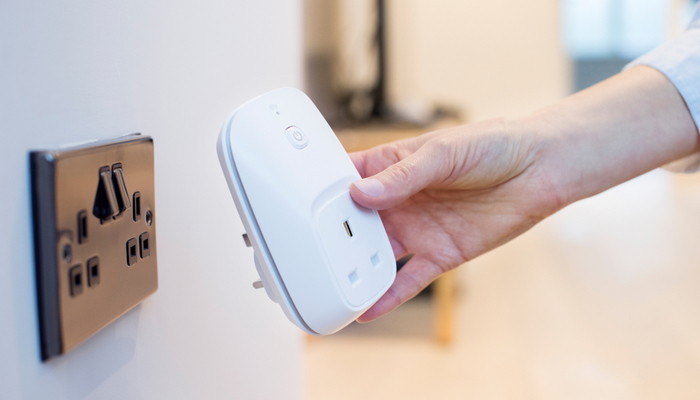
    Smart plugs are the go-to smart technology for anyone just breaking into smart home tech. The reason? It can turn pretty much any simple device into a smart device. Let’s say, for instance, you have a favorite lamp in your living room, but it’s in an awkward position that’s hard to get to. Well, all you need to do is hook up a smart plug, name that plug “living room lamp” and synch it with your smart home hub.

    Once you’ve got it hooked up, you can use your hub to command the lamp on or off through your voice alone. Simply calling out “turn on the living room lamp” will signal the plug to send a current to the lamp, and like that, you’ve got a smart lamp without having to buy any other new technology. With some creativity, you can see how useful these smart plugs can be for someone just starting out.

    Philips Hue

    If you want something a little fancier for your smart lighting, we suggest the Phillips Hue line of products. These smart bulbs connect to your smart home hub and then you can use either the Hue app or your voice to control them. True to their name, these lights can cycle through a wide variety of colors and shades, so you can light a room to whatever color or lamination you’d like.

    Nest Thermostat

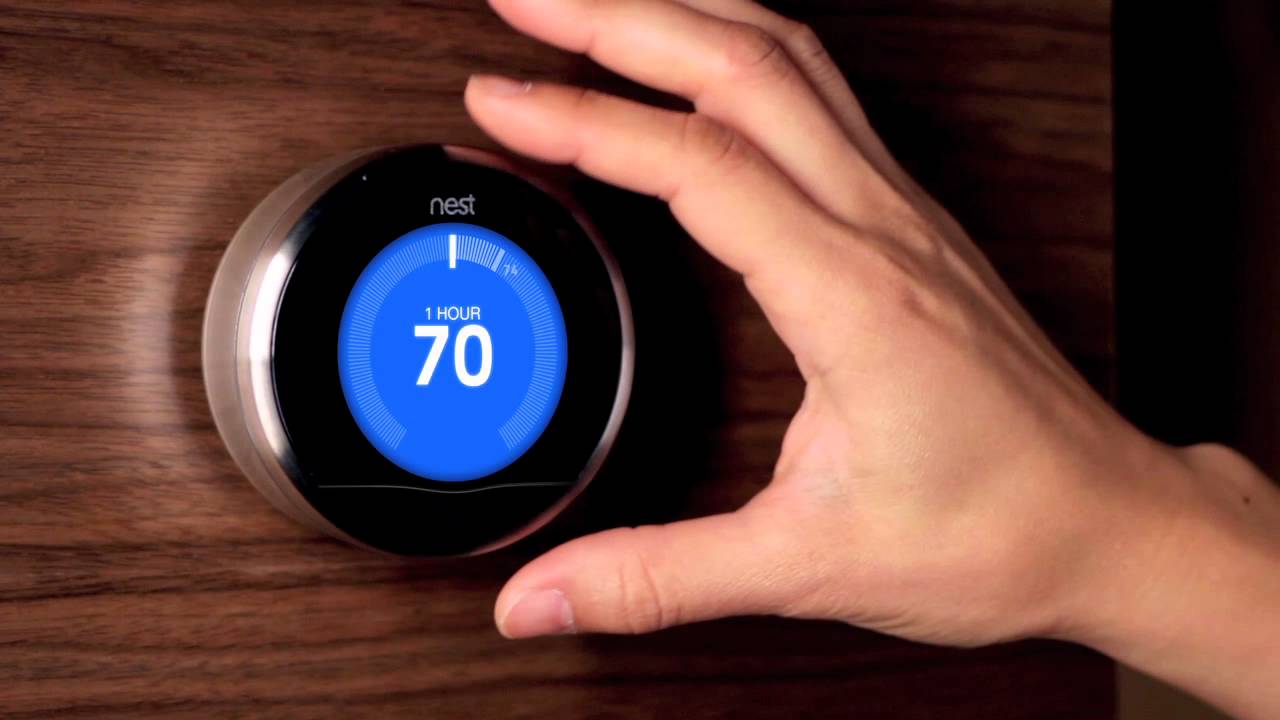
    One of the most useful smart home devices is the Nest Learning Thermostat. As its name suggests, this is a smart thermostat that learns your patterns to help make sure your home stays comfortable. Once it knows when you wake up, when you leave for work and when you get back, the thermostat will start to automatically set the temperature to your comfortable ranges. This is more than just convenient: it means you’ll likely see lower power bills.

    Beyond that, you can also use normal voice commands to change the temperature in your home. Little beats calling out to your smart hub to drop the temperature a bit and having your home not only listen, but follow through. It makes you feel like you’re living in the future to assume command of your home with your voice.


  • You Need a Smart Plug: Peace of Mind and Convenience at Once

    You Need a Smart Plug: Peace of Mind and Convenience at Once

    We’ve all been there: you’re driving to work and start to worry. Did you turn off your curling iron? You’re left sitting at work worrying that you should head home and check, but you don’t have time to step away from your desk. If only you could just check and turn it off from your phone!

    Well, good news: now you can. By installing a smart plug in your bathroom, you can activate and power down your appliances from a distance.

    Why You Need a Smart Plug

    Electrical Safety

    The most straightforward reason to have a smart plug is so you can make sure your appliances are turned off even when you’re not home. This can be done through connecting your smart plug to your Wi-Fi and then using a phone app to control whether it sends power. No more worrying about your curling iron burning the house down!

    Convenience

    Smart plugs are also eminently convenient. You can plug any old appliance into a smart plug and make it a smart device. Floor lamp that’s awkward to get to? Smart plug it, now it’s a smart lamp. Fan in your room that you turn on when it’s hot and you’re trying to sleep? Power it on from your phone instead of having to cross the room.

    Smart Integration

    You can even integrate smart plugs into your existing smart home setup. If you use Google Home or Amazon’s Alexa, you can integrate most smart plugs into your voice control. Simple controls like “turn on the lamp in the living room” can be keyed to specific plugs.

    Nothing feels quite as high-tech as calling out to your personal AI assistant to turn the lights on and having it listen. It’s a stark reminder that we live in exciting times for technology and technical advancement!

  • Nest CEO Steps Down After Google Rearranges

    Nest CEO Steps Down After Google Rearranges

    Google acquired smart thermometer maker Nest in 2014. Nest, founded by ex-Apple engineer Tony Fadell, has experienced a ton of shakeups lately. New reports from C-NET indicate that Alphabet, Google’s parent company, even shopped the company around to Amazon at one point. Given Google and Amazon’s current relationship, that’s honestly quite surprising.

    Nest CEO Marwan Fawaz

    Fawaz was installed in 2016 after Fadell left the company. According to anonymous sources from within Nest, he wasn’t exactly an office favorite. Many felt that Fadell was a visionary, and his brand of leadership inspired the team. His Apple-inspired product design led to clean, effective products. Fawaz, on the other hand, proved to be a bit more of a “logistics guy.” It’s not so much that he was disliked, according to sources, as he was un-charismatic.

    Many sources stated that they felt as though Fawaz was more of a “numbers guy,” someone who was more suited to logistics than leadership. In fact, Fawaz is moving to an advisory position within Alphabet, which indicates that his bosses felt the same.

    Google’s Fight to Dominate Smart Homes

    In February, Alphabet rolled Nest back into the fold after leaving them as a semi-independent entity since 2015. In the interim since Google acquired Nest, the smart home market has heated up significantly. Amazon holds nearly half of the market, its Alexa virtual assistant being a household name. Google, by contrast, only holds about a quarter of the market. This is something they wish to change, of course.

    Amazon doesn’t sell Google’s smart home products, generally. Nest thermostats and some other Nest devices appear on the site, but Google’s proprietary Google Home is nowhere to be seen. That has certainly limited Google Home’s reach, and the company has been playing catch-up in that regard. However, Google has also pursued upgrades for its assistant through its incorporation in their smartphones. Google Pixel phones and Android OS both support Google Assistant, just like Google Home. This gives them a unique edge over Amazon, one that they plan to leverage.

    However, the relatively unstable Nest situation has certainly not helped them achieve smart home domination. In that light, Fawaz’s redeployment as an advisor makes sense, as Google reworks the hierarchy of their smart home division. The heat is on, and they want to win the race with Amazon.

  • Which Smart Thermostat is Our Favorite?

    Which Smart Thermostat is Our Favorite?

    Everyone wants to be comfortable in their own house. That’s a given! However, it can be a pain to have to constantly mess with the thermostat. If you’re like me, you’d probably rather just set it and forget it and let automation take over. Well, good news! If you grab a smart thermostat, you can do just that! Which one is our top pick? Read on! 

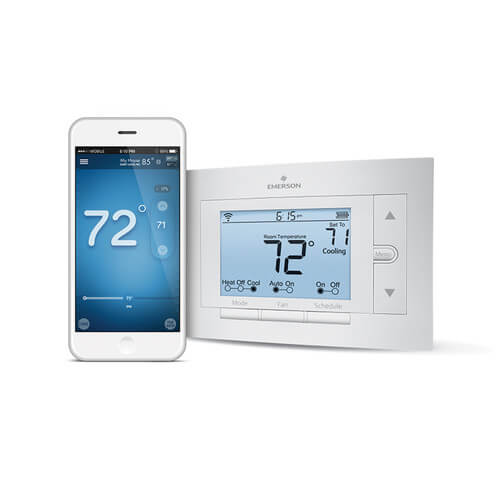
    Sensi Wi-Fi Smart Programmable Thermostat 

    Photo Credit: Supply House 

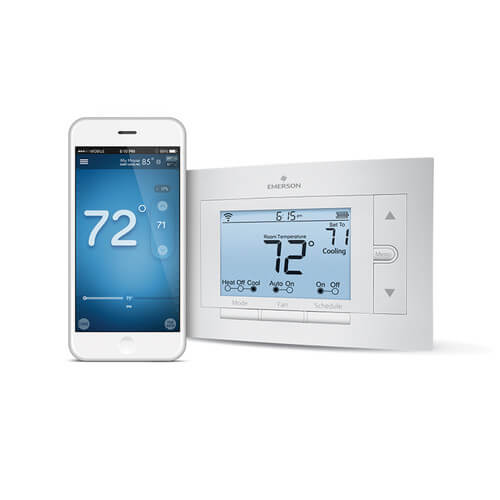
    The coolest thing about the Sensi Thermostat is that it doesn’t require a C-Wire to hook up! What this means is that you can set this smart thermostat up in houses you normally couldn’t. This thermostat gets a nod for its great price, coming in at $118, and good app support. You can control it from anywhere with the app, and you can even set programs to cycle throughout the day, or week. It can even run on a pair of AA batteries! For those who aren’t as tech-savvy but still want a programmable thermostat, this one is for you! 

  • New Smart Wall for Smart Homes

    New Smart Wall for Smart Homes

    Smart homes are getting smarter and smarter. The Wall++ offers a new way to control smart homes, one that doesn’t involve repeating phrases to a smart speaker.

    Wall++

    The Wall++ was developed by researchers at Carnegie Mellon University and Disney Research. They created a way to make the walls of a smart home into gesture-sensing touchpads. They used conductive paint and a custom sensor board to create electrodes to turn walls into an “electromagnetic sensor to detect and track electrical devices and appliances.”

    What’s so great about a smart wall? Researchers say the wall system could monitor activity in rooms, send alerts when an appliance goes off, adjust lights, and control televisions. It can also track people who are wearing certain electronic devices that emit an electromagnetic signature.

    The Wall++ is an idea that built off of Carnegie Mellon’s previous work in a system called Electrick. Electrick took the first step in spraying conductive paint onto smooth surfaces to enable touch controls.

    Smart Wall Could Replace Smart Speaker Systems

    Home smart speakers are popular, but Carnegie Mellon researchers predict the smart wall could be an improvement and become more popular.

    It will be some time before the Wall++ is available to the public, however. Researchers are currently installing prototypes by putting a sensor board in the wall’s baseboard, but they think they can make improvements for easier installation. They also have aims to optimize the Wall++’s energy consumption. Overall, the Wall++ is looking to be extremely promising for the future of smart homes.

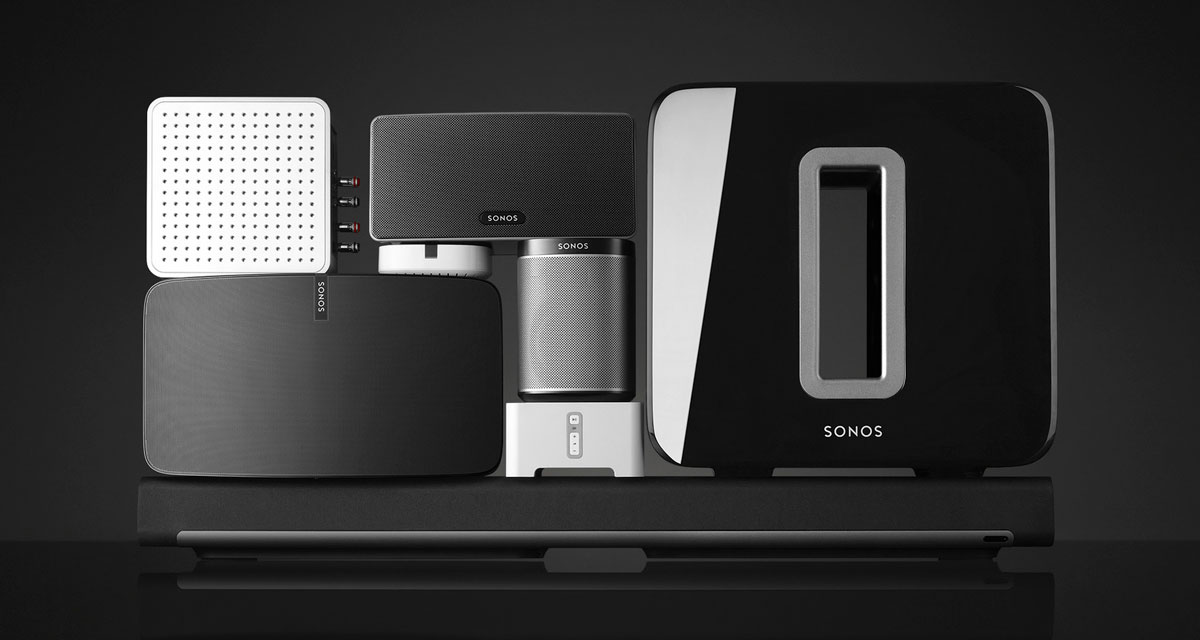
  • Sonos Spreaker. Listen Up…

    Sonos Spreaker. Listen Up…

    The Good

    • Unparalleled sound quality. Simply the best in home audio
    • Sonos App is user friendly and easy to navigate
    • Sharp design, fits in any decor
    • Portable and works off Wifi.

    The Not so Good

    • Portable but has to be plugged into an outlet
    • limited capability, can only essentially play music
    • Music has to be played through Sonos App. Cannot use Youtube or other mediums.
    • Somewhat high price tag

    Image result for sonos

    The Conclusion

    The sound quality is amazing and the Sonos connects to the home WiFi hassle free. Using the Sonos App, your music selection platforms are plentiful. But they’re not total. I still find myself wanting to use Youtube sometimes through the app, and where just not There yet. But the ability to fill my entire home with beautiful, synchronized music, where I can walk from room to room without music interruption makes it all worth it. I could pay a professional $5,000-$10,000 for an audio system and I’m still not sure it would provide better sound quality than the Sonos.

    Related image

    Oh Sweet Sonos

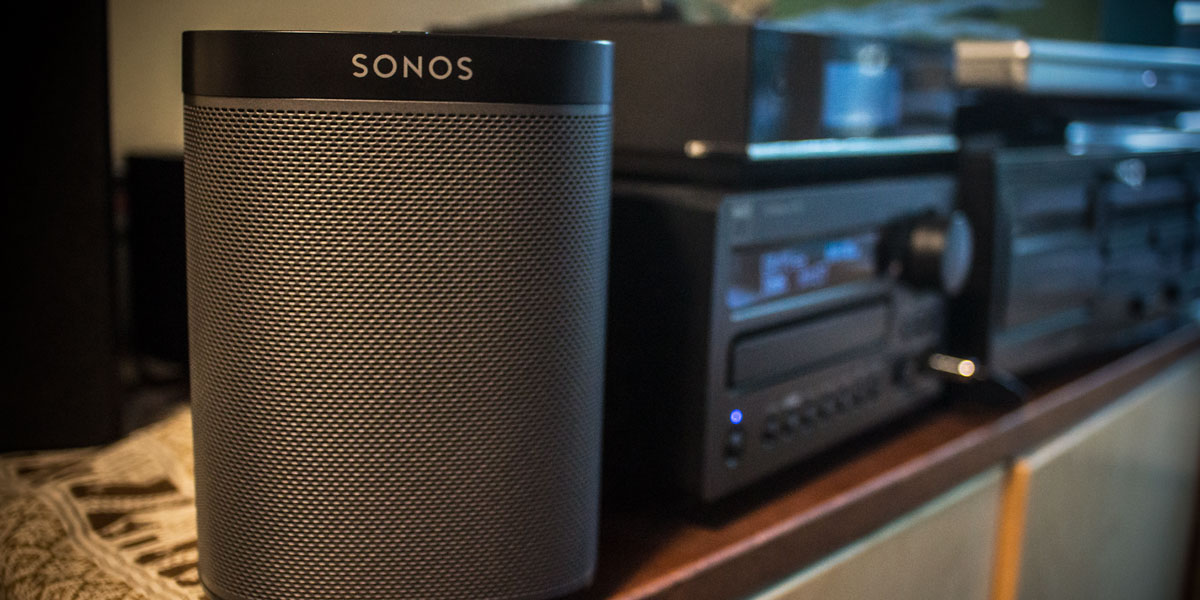
    Lauched in 2013, Sonos hit the audio ground running. Not long after I found myself wanting to add more sound in our home and was looking for a portable unit, such a Bose mini Soundlink. I was then informed of the Sonos by a cousin and the rest is history. Right from the get go, sound of this little unit is incredible.The impressive is the clarity of the mids and highs in unparalleled. I find I’m hearing things in songs that I haven’t noticed in years. The hardware setup was very easy as well.

    Image result for sonos

    The Sonos App included clear illustrations showing which buttons to press on which devices to complete the pairing, and what the illuminated light sequences on those devices meant. Within a few minutes, everything was connected and working. I added my Spotify and Pandora accounts quickly, and within a few minutes I was streaming music to the Play 1. Sonos is also easily paired to Alexa, and the two work great together. For $199.00, I have got every penny out of the Sonos. Granted I wish it were as portable as my Bose Mini, but in this case, the sounds quality is a cost of portability.

    Related image

    Final Thoughts

    Sonos has some buggy software issues along with a lack of mobility, but the pure sound that emits from the little speaker is simply the best. If you want your home to be filled with bright tones and audio warmth that there is no need to shop any further. The Sonos is the speaker for you. Start with one for your kitchen and you’ll quickly have a Sonos in every room. Sonos has competition such as the Apple Home Pod hot on it’s heels, but as long as they keep making that sweet sound, I’m in for life!