Category: Smart Devices

  • 5G Networks are Coming: Are You Ready?

    5G Networks are Coming: Are You Ready?

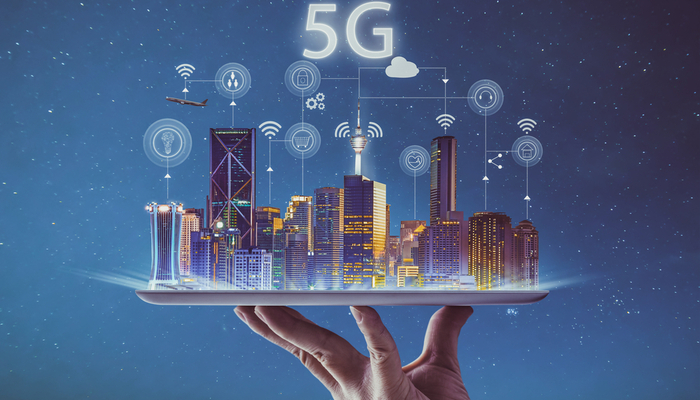
    The biggest shift in wireless communications history is coming up soon, and it goes under the name “5G”. The newest advancement in wireless communications technology, 5G networks will revolutionize communications speed and change the way the world communicates. This might sound like hyperbole, but it isn’t: this will be a huge moment for technology. Are you ready for the changes?

    5G Networks

    What is 5G?

    5G is a network specification, much like 4G LTE or 3G. These are all types of wireless communication, defined by industry standards, bandwidth and speeds. Think of them like wireless internet speeds, and as loose indicators of the current face of wireless communications technology. Notable advances in technology in the last few years are what has made 5G a possibility.

    When 5G networks go live for a wide-release, carriers like AT&T, Verizon and Sprint will be offering cell phone networks powered by 5G technology. Samsung, Apple and other flagship smartphone manufacturers will also be creating phones with the capability of connecting to 5G networks and making the most of the new technology.

    What This Means

    5G connection speeds are expected to be absurdly fast. As in, downloading a movie in seconds, stream 4K video at 60 FPS, upload video in moments kind of fast. This will bring about big changes in more than just cell phone technology, of course. There will be robotic devices capable of letting a surgeon perform a procedure from across the country. Self-driving cars will be able to connect and make adjustments based on traffic reports in seconds.

    Other functionality could extend to entertainment, augmented reality and consumer products, too. Imagine holding your phone up while watching a football game, and having your screen superimpose live stats and graphics to help you keep track of players, all updated on the fly. That’s the kind of power 5G will bring: the applications are sure to be mind-blowing.

    When Can We Expect This?

    5G networks aren’t quite a widespread reality yet. The technology is currently undergoing rigorous testing and production and is in the final stages before wide release. Some smaller scale, individual-city level 5G tests have been done, but these are using somewhat limited versions of the expected 5G technology.

    At the earliest, we could expect to see some larger cities receiving 5G support in late 2019. However, this is an optimistic estimate and assumes that carriers push for early trial versions of the technology. As for nationwide coverage of 5G networks, that is likely as far away as mid- to late-2020. While this might sound like a long time, the massive increase in power will more than offset the long wait.

    What Phones Can Use 5G?

    It’s unlikely your current phone will be able to use a 5G network unless you have a bleeding-edge phone prototype. In fact, few manufacturers are even selling phones that will be able to use eventual 5G networks yet.

    However, there are a few brand-new phones that are either coming soon or have just been released that will be able to take advantage of 5G when it arrives. If you want to be absolutely future proof, here are some of the phones you should be looking at.

    Upcoming 5G Phones

    The Samsung Galaxy S10 5G, which starts at $1,300, was released in mid-May in the US and will offer 5G connectivity. The Galaxy Fold, which was delayed into later 2019, will also be able to use the upcoming network.

    The Motorola moto z3 will offer a 5G mod chip that will allow you to use the upcoming network, as well. It’s currently available for purchase, but the 5G chip will be launching later. Also coming to the 5G game will be phones for Chinese smartphone maker Huawei, including their Mate 20X 5G and upcoming foldable Mate X.
  • Huawei Ban: What This Could Mean

    Huawei Ban: What This Could Mean

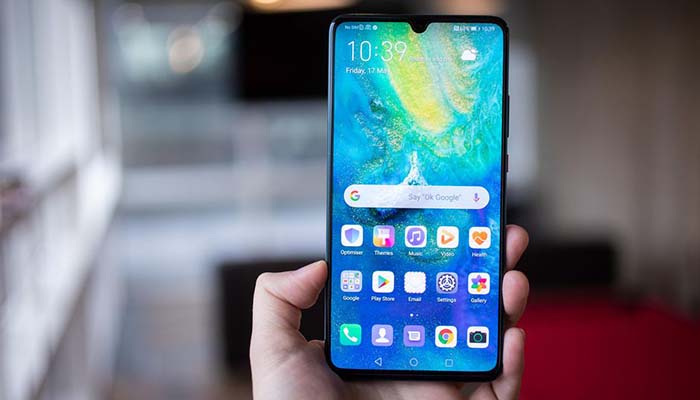
    Huawei, the world’s second-biggest smartphone manufacturer, has been having a rough couple of months. Most recently, the Trump Administration issued an executive order that cuts the Chinese company off from American resources such as Google’s Android platform.

    Trump’s order, called “Securing the Information and Communications Technology and Services Supply Chain,” effectively bans Huawei from doing business in America, or with American companies. What does this mean for the Android brand and for Huawei?

    Huawei Ban

    What Does This Entail?

    The Department of Commerce released a statement on the ban in order to explain what it means.

    “The executive order prohibits transactions that involve information and communications technology or services designed, developed, manufactured, or supplied by persons owned by, controlled by, or subject to the jurisdiction or direction of a foreign adversary whenever the secretary of commerce determines that a transaction would pose a threat to national security,” reads the statement.

    This means, in effect, that Huawei, as a Chinese communications company that is known to have close ties to the Chinese government, is being viewed as a “foreign adversary”.

    Why Did This Happen?

    This ban reflects years of tense relations between Chinese and American companies in the tech sector. In 2012, the federal government warned carriers in the US of carrying Huawei’s handsets. There has been a fear that Huawei would use its devices to spy on American corporations and steal secrets.

    In fact, there has long been speculation that Huawei’s meteoric rise and unparalleled technological advancement in the last decade was largely a result of stealing intellectual property from tech companies in other countries. Huawei, for their part, has repeatedly denied any claims that it has stolen IP or engaged in any form of corporate espionage.

    What Will This Mean?

    In the short term, this ban might not amount to any real damage. Without wading too deep into foreign policy, the Trump Administration is in the midst of a very tense trade standoff with China. It’s likely that this Huawei play will be used as a bargaining chip in future trade talks between the two massive economies.

    In the long term, if the ban stays in effect, it’s likely it will slow the US rollout of 5G communications tech. Many telecom companies rely on technology imported from China, much of it made by Huawei. Unlike Samsung or Apple, Huawei is as much a telecom company as a smartphone manufacturer.

    Global Scale

    While Huawei remains a major player in China, their decoupling from Google could prove disastrous for their bottom line. Google has announced they’ll be honoring the executive order, pulling support for their Android operating system from Huawei. That means that Huawei devices won’t be getting updates for their OS, or critical security updates from Google.

    Huawei has stated it will support its own devices with regular security updates, though this is a bold claim. It’s unclear if the company has the programming staff to undertake such a massive job. Meanwhile, the lack of support from Google means that Huawei will have to rely on an open-source version of Android. This will have them several months behind the competition in terms of updates and features.

    Samsung Ascendant

    Huawei was on track to dethrone Samsung as the de facto king of Android. Recent advances in Huawei’s tech had them nipping at Samsung’s heels. For their own part, the Korean smartphone manufacturer has been lagging behind on innovation, with their recent slate of phones being more iterative than revolutionary.

    The ban from Washington DC could prove to be a huge windfall for the Korean company, however. Samsung stands to gain a lot from their chief rival being halted in their tracks and cut off from Google’s support. Samsung, meanwhile, continues to enjoy its partnership with Google, getting early test builds of Android OS to make sure their phones run smoothly.

  • Best Ways to Save Battery on your Phone: Stop Running for the Charger

    Best Ways to Save Battery on your Phone: Stop Running for the Charger

    If you’re constantly finding yourself dashing for the phone charger, you’re probably sick of your short battery life. Why is your phone always dying, you ask? Well, you might have your phone settings drawing too much power from the battery. Here are some of the best ways to save battery life on your phone.

    How to Save Phone Battery

    Brightness

    The first setting you want to check is your brightness. If your phone is dying too fast, turn off auto-brightness and turn your phone’s screen brightness way down. Your phone’s huge, backlit screen is a massive draw of power, so having it turned all the way up is a surefire way to burn through your battery quickly.

    Low Power Mode

    Most phones have some form of battery saver mode. For instance, with the iPhone, when your phone is below 70 percent power, you can activate low power mode to cut off nonessential functions and let your phone operate at a much lower power consumption rate.

    If you want to save battery even before you hit that 70 percent benchmark, though, here are some more steps you could take to slow your battery’s depletion rate.

    Location Settings

    Go into your phone’s settings and deactivate location services for all of your apps. If you use your maps app to navigate, consider keeping that one on. However, leaving location services on for all apps lets them drag on your battery as they run in the background, doing you no good other than targeting you with ads based on where you’ve been.

    Background Functions

    Turn off your app’s background functions, like automatic updating or refreshed. While you’re at it, you can go into your settings and turn down the frequency with which apps fetch new data in the background. That means that app like Facebook and Twitter will look for new notifications less frequently.

    If you really want to cut back on your phone’s power use, consider cutting your cellular data off entirely when you’re not using it to surf the web or use an app. Background features in apps are a massive draw on your battery life.

  • Which Smartphone has the Best Camera? Head to Head

    Which Smartphone has the Best Camera? Head to Head

    Smartphones are getting better all the time, and one of the areas they’ve been excelling in recently is the camera. Smartphone cameras are an area where this is especially true: it seems that they’re always getting that much better! Which phone camera is the best, though? Today we’re going to look at some of the best cameras available in a smartphone!

    Best Smartphone Cameras

    Google Pixel 3

    The Google Pixel 3 sports an incredible camera that will impress you in any conditions. Taking pictures in dark or moody environments still yields gorgeous pictures, thanks to some crafty software solutions from Google. The Pixel 3 offers gorgeous portrait mode shots, too, using its software to simulate the Bokeh dual-focus style of portrait pictures.

    All of this is housed in one of the most stylish and slick Android phones on the market. If you want to take some great pictures and own a flagship phone, the Pixel 3 is the phone for you.

    iPhone XS

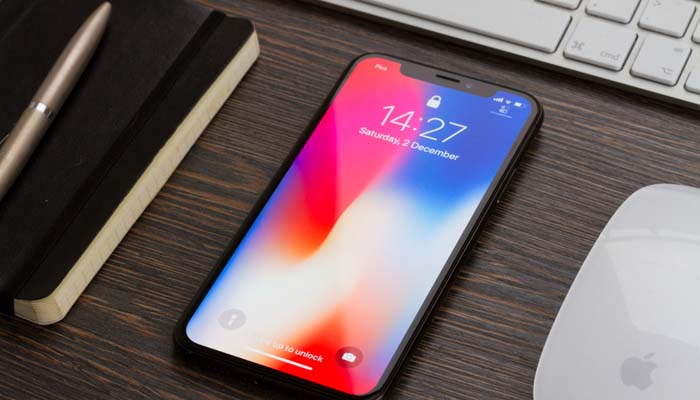
    The iPhone XS sports the best iPhone camera we’ve ever seen. While it takes great night shots thanks to its software, it also takes stellar portrait mode shots due to its multiple rear-facing cameras. Interestingly, it can even take selfies in portrait mode, using the multiple forward-facing cameras, though these are of a lower quality than the rear camera.

    Notably, the iPhone XS offers the best phone video recording on the market. While a few Android phones offer better-looking still shots, none of them can match how silky and gorgeous the video quality on the iPhone XS is. That’s not to mention just how good images look on the iPhone XS’s huge OLED screen!

    Huawei P30 Pro

    This phone isn’t for sale in the US, thanks to some complex legal pressures on Huawei. However, if you’re in the market for a great Android phone with the best still-shot camera around, consider buying the P30 Pro from a third party. Just beware of sketchy sellers when you’re shopping!

    The P30 Pro is a great handset, though it’s a bit on the pricey side, even before you have to buy it secondhand in the US. That said, if you want to take the best pictures around, the P30 Pro is the phone for you.

  • Foldable Phone Support Coming to Android Q

    Foldable Phone Support Coming to Android Q

    Google’s newest update for the Android OS will include support for foldable phones like the Galaxy Fold, according to new reports. Despite the Fold’s early stumbling blocks, Google is pushing ahead with full OS support for the new type of smartphone. It seems Google has faith that the foldable phone style will be more than a short-lived fad.

    Android Q and Foldable Phones

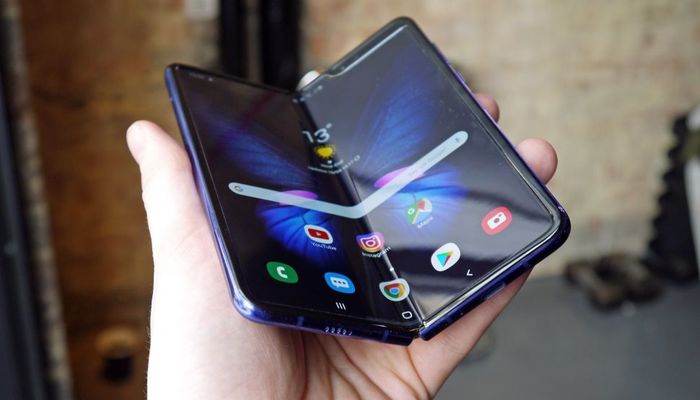
    Samsung Galaxy Fold

    The only current example of a folding smartphone is the Samsung Galaxy Fold, which has hit a number of stumbling blocks out of the gate. Early review models experienced some serious issues, including flickering or dying screens, bulges beneath the screen and creases in the center of the inner screen. In light of these issues, Samsung delayed the Fold’s launch, making many question the entire folding phone experiment.

    Potential for Folding Phones

    Clearly, Google believes there’s some potential for folding phones. Android Q will ship with support for the new, dual-screen, folding style of phone that Samsung is previewing. Reviewers have noted that, while expensive, the Galaxy Fold is a great phone.

    Notably, a folding phone bridges the gap between phones and tablets. You can fold them up small enough to go in your pocket, and they’re easy to use for making phone calls in their folded configuration. However, when you want to watch videos or play games, unfold the phone and enjoy the massive inner screen.

    Issues to Overcome

    Of course, folding phones offer issues for developers as well as consumers. App developers need to account for the potentially massive screen sizes when developing their products. Likewise, apps need to support the ability to be displayed on a smaller outer screen and then be transferred to the larger inner screen. This makes for a complex problem for designers.

    At time of writing, the Galaxy Fold has been delayed with no release date from Samsung yet known. The company is currently looking into the issues reviewers had with their handsets to ensure the phone launches without issues. This is wise for Samsung, as they have been burned on hasty releases of untested new phones before, like when the Galaxy Note 7 had issues with the battery literally exploding.

  • The Best Budget Android? Google Pixel 3a Review

    The Best Budget Android? Google Pixel 3a Review

    The only drawback to Google’s stellar Pixel 3 smartphone is the high price tag. That means that the budget-friendly Pixel 3a was high on our radar. Does the handset stack up to the pedigree of its namesake, or has Google cut too much from this budget handset? Let’s get into it.

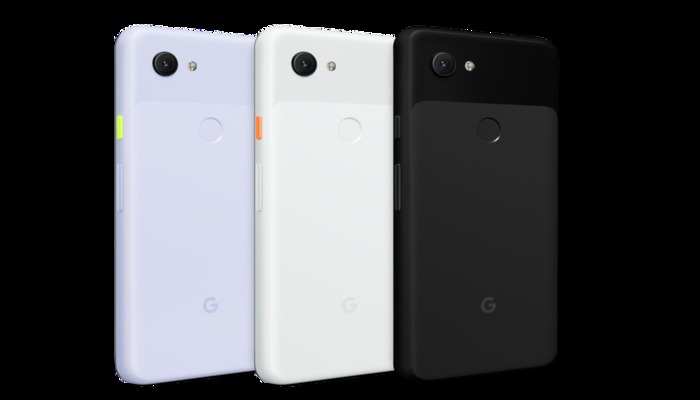
    Google Pixel 3a

    Overview

    The Pixel 3a is a $400 smartphone with a $1,000 camera. The camera that the Pixel series is so well-known for is here and it looks great. Google wisely cut only the most expensive features and left a pared-down, lean and powerful smartphone with the features all users can enjoy.

    Features

    Essentially, the Pixel 3a and 3a XL function as throwbacks to about three years ago. There’s no in-display fingerprint scanner, no Face ID unlocking, no wireless charging. Instead, this is a bare-bones smartphone that sticks with traditional bezels, a normal fingerprint scanner and even a 3.5mm headphone jack.

    If these features all sound like welcome returns to you, then you’re probably the right person for the 3a. While the features that the 3a lacks are certainly cool on top-of-the-line phones, they’re largely unnecessary. And what new features it brings, it brings well.

    What You Get

    Picture quality on the 3a is incredible, easily matching the earlier phones in this line for capturing beautiful images. The screen is also wonderful, sporting an HD+ OLED panel that’s big and vibrant. While you might not have the most elaborate housing for the screen, it’s still a wonderful smartphone screen.

    You do, however, have some trade-offs. The Snapdragon 670 under the hood is a notably wimpier chip than the Snapdragon 845 found in the normal Pixel 3. However, most users won’t even notice the decrease in power. Also, the phone has a plastic casing, which feels cheap and slippery compared to the glass-and-steel construction of modern flagship phones.

    Bottom Line

    If you’re in the market for a new phone and don’t want to spend $1,000, but still want the best you can get, the Pixel 3a is a very good deal. It’s hard to knock the budget smartphone, as it brings a ton of value for its low price. This is truly the best budget Android device on the market.

  • Is Your Screen’s Blue Light Keeping You Up at Night?

    Is Your Screen’s Blue Light Keeping You Up at Night?

    Television screens, phone screens and computer screens all emit blue light that can make it very difficult to sleep. Your brain often perceives blue light as being similar to the light of the Sun. As such, this light has the effect of making your circadian rhythms misread the time of day and can lead to restlessness.

    What should you do to keep this blue light from keeping you awake late at night? There are a few ways you can keep your screen in check. Let’s get into a few.

    Screen Blue Light Keeping You Up Late

    Put the Phone Down

    The most surefire way to keep blue screen light from interfering with your sleep schedule is to simply practice more discipline. When it’s getting close to time for bed, just put your phone down. A good way to incentivize this is to plug your phone in to charge across the room, not beside your bed. That way, it’s too far for you to mess with.

    Keep Distractions out of Your Room

    Reserve your bedroom for sleeping. Consider not having a TV in your bedroom, or a laptop or tablet. Keeping these things in the same space you sleep in could make you more likely to interact with them instead of going to sleep.

    Consider, instead, having a game room or a rec room in your house where you store these electronics. That way, when you go to bed, your room is free of distractions that could keep you up.

    Activate Night Mode

    Most devices have some kind of night mode that allows you to alter the amount of blue light their screens emit. Many newer smartphones do this automatically. You can download add-ons for Windows that perform this function for your computer, as well.

    Using dark mode on apps and UIs can be helpful, too. Dark modes tend to use dark blue or black background colors to keep the overall brightness of their interface down. This makes them easier on the eyes late at night!

  • You Need a Smart Plug: Peace of Mind and Convenience at Once

    You Need a Smart Plug: Peace of Mind and Convenience at Once

    We’ve all been there: you’re driving to work and start to worry. Did you turn off your curling iron? You’re left sitting at work worrying that you should head home and check, but you don’t have time to step away from your desk. If only you could just check and turn it off from your phone!

    Well, good news: now you can. By installing a smart plug in your bathroom, you can activate and power down your appliances from a distance.

    Why You Need a Smart Plug

    Electrical Safety

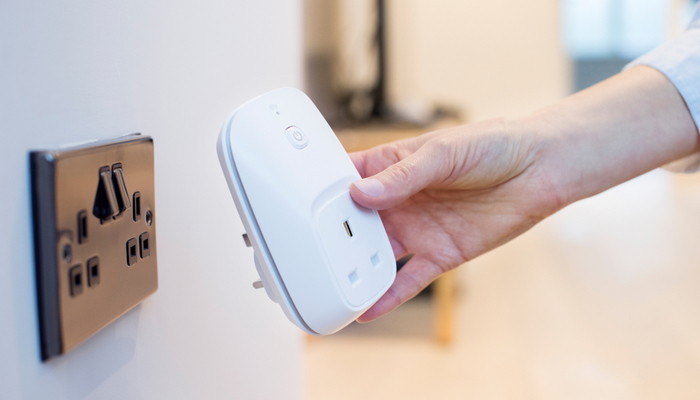
    The most straightforward reason to have a smart plug is so you can make sure your appliances are turned off even when you’re not home. This can be done through connecting your smart plug to your Wi-Fi and then using a phone app to control whether it sends power. No more worrying about your curling iron burning the house down!

    Convenience

    Smart plugs are also eminently convenient. You can plug any old appliance into a smart plug and make it a smart device. Floor lamp that’s awkward to get to? Smart plug it, now it’s a smart lamp. Fan in your room that you turn on when it’s hot and you’re trying to sleep? Power it on from your phone instead of having to cross the room.

    Smart Integration

    You can even integrate smart plugs into your existing smart home setup. If you use Google Home or Amazon’s Alexa, you can integrate most smart plugs into your voice control. Simple controls like “turn on the lamp in the living room” can be keyed to specific plugs.

    Nothing feels quite as high-tech as calling out to your personal AI assistant to turn the lights on and having it listen. It’s a stark reminder that we live in exciting times for technology and technical advancement!

  • Which is the Better Smartphone OS, Android or iOS?

    Which is the Better Smartphone OS, Android or iOS?

    When it comes to smartphone platforms, there are two big names to choose from. On the one hand, you have iOS, the original smartphone operating system and a very stable option from Apple. On the other hand, you have the much more open Android system from Google that is used on most other major smartphones. Which is the right call for you?

    Android vs iOS

    Open vs Closed Systems

    Apple is known for their user-friendly, “it just works” attitude towards design. In order to achieve this, however, Apple’s platforms, like iOS and Mac OS, are much more closed-off. While iOS is a very user-friendly and pleasing platform, it doesn’t offer the same range of customization and granularity that Android does.

    Android, on the other hand, has a bit more of a learning curve. It’s more akin to using a Windows computer than a Mac. There are a ton of options available to users, but they also require you learn a lot about your phone and how it works. That said, this openness also comes with a price: platform instability and malware.

    Aesthetics and Functionality

    Generally speaking, both iOS and Android allow users to do roughly the same things. Sending text messages, making phone calls, navigating the internet and using apps are all the same across the two systems. Both allow for music playback, both have support for all major apps and neither has a glaring hole in its functionality.

    If you like the idea of controlling the aesthetics of your phone’s operational appearance, however, Android is for you. Landing pages, backgrounds and basic phone operations are much more malleable on Android, though this does mean you can accidentally make your phone very difficult to navigate effectively.

    The Phones

    One of the biggest drawbacks to iOS is the closed nature of the system in more ways than one. Namely, iOS is only available on iPhones, and not everyone loves Apple’s design ethos. Some people just can’t afford the newest Apple phones, while others don’t like the minimalist design.

    Android, on the other hand, is available on phones from a wide number of manufacturers at wildly varying price points and design styles.

    Bottom Line

    If you’re the kind of person who likes an “all-in-the-box” design style, you’ll love Apple’s iOS. If you prefer to customize your phone and make everything your own, however, you’ll likely prefer to use Android.

  • Can’t Find the Time? Try these To-Do Apps

    Can’t Find the Time? Try these To-Do Apps

    You’re busy every single day. You’ve got tons of stuff to do, but you can never find the time to squeeze it all in. How are you supposed to organize your time and take command of what you need to get done? One of the easiest ways to get your time back is to use a to-do app. These to-do apps are some of the best available and will help you organize your time and get back on track!

    Best To-Do Apps

    Any.do

    Any.do is only available on iOS, but it’s a stellar to-do list app for those with iPhones. There’s a free version available, which is great for those on a budget. This app can nudge you when you need to do something you’ve set up, which is great if you’re trying to build new habits.

    For instance, if you’ve been meaning to hit the gym more. Another example is if you’ve been meaning to get in the habit of cleaning more regularly or going for walks. Whatever good habit you’re trying to cultivate, Any.do can help you get it down to second nature.

    Todoist

    Todoist, available for iOS and Android, is a great option for those who need to be more productive. If you’re a student trying to juggle time between work and school, this is a great option. Likewise, if you’re a professional who works from home, or does freelance work, this is a great way to organize your time and make sure you hit deadlines.

    Asana

    Another app available on both iPhone and Android, Asana is great for busy professionals who need help organizing their workflow. The free version is quite robust, and the app is clean, clear and easy to use. Setting up recurring tasks is a breeze. Essentially, this app can act as a second set of eyes to make sure you went over everything you meant to get to in the day.

    It’s impossible to put a price on discipline, but these apps are free. So, if you’re trying to get it together and organize your time, you’ve got nothing to lose with these wonderful to-do apps.